Deploy & Expose#
Ready to deploy & expose my first app on the cluster. 🚀
This homepage app seems like a good candidate - simple yet useful.
Installation#
The documentation includes example manifest files I can apply to my cluster.
I’ll create and commit them in my git repo at /kubernetes/homepage.
Service Account#
Kubernetes has both ‘user’ and ‘service’ accounts.
These provide identities when accessing API resources.
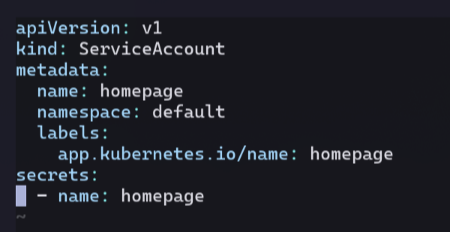
I create a service account for the homepage service.
Secret#
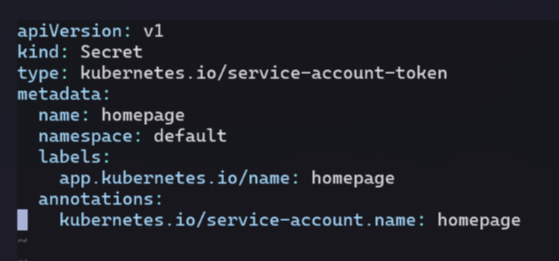
This particular secret is a service account API access token.
The value of the secret will be generated and managed by the cluster automatically.
ClusterRole & ClusterBinding#
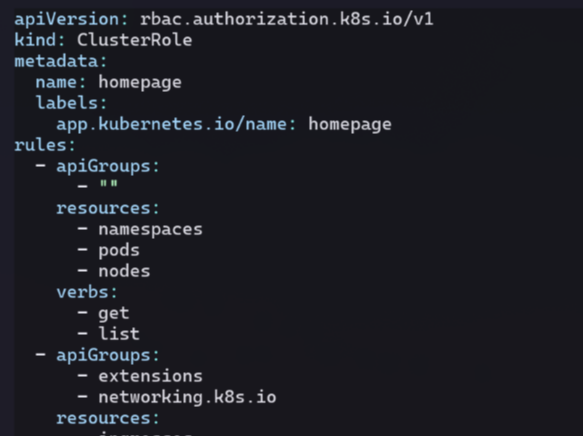
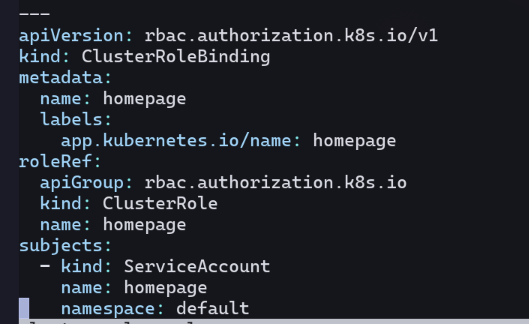
Together, these provide role based access control (RBAC) for the service account.
Here, these values allow read access to certain resources on the cluster.
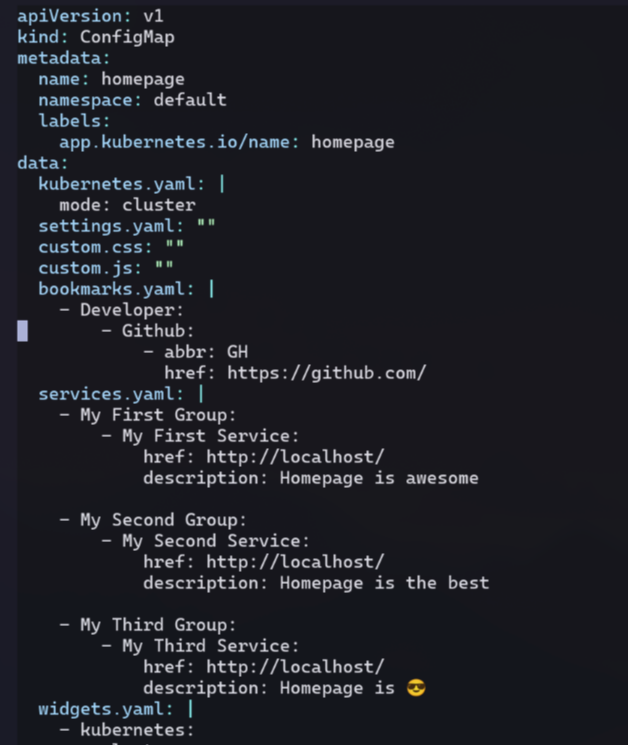
ConfigMap#
A configmap is a way to provide non-secret values to pod(s) in the cluster.
In this case, its mostly specifying which links should appear on the homepage.
I’ll leave in the placeholders for now:
Deployment#
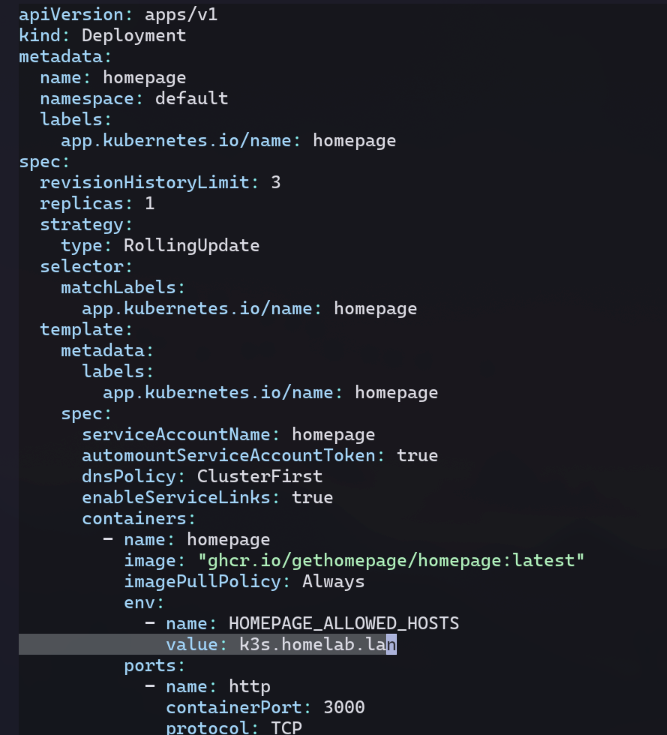
A deployment defines a pod template and how many replicas to create.
The pod template is also were the container(s) to be run on the pod are specified.
I update the allowed hosts env var on the homepage container to be k3s.homelab.lan.
Service#
A service is a way to group pods together and provide a single entrypoint to them.
This abstracts away the underlying pods since they can die and be replaced with different IPs at any given time.
The number of pod replicas might also scale up or down, and the service abstracts that away as well.
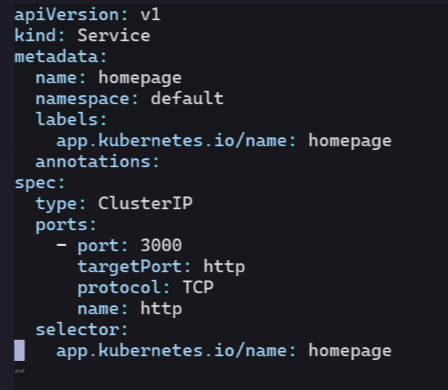
The type ClusterIP means this service is only accessible within the cluster.
There is second type called NodePort which would bind the service onto a high numbered port on the hosts (nodes).
This could work, but comes at the cost of complexity needing to recall which port a given service is accessed over.
The third type, LoadBalancer is supported in cloud environments, but I’m not on the cloud.
Luckily, there’s another option…
Ingress Controller#
An IngressController behaves similarly to a reverse proxy running inside the cluster.
It can listen to incoming traffic to the cluster (ie ports 80/443),
and then route the request to the correct service based on the url.
Cloud providers offer their own controller implementation options.
In my case, k3s ships with traefik as its default ingress controller.
Ingress#
An Ingress is a rule configuration read by the ingress controller.
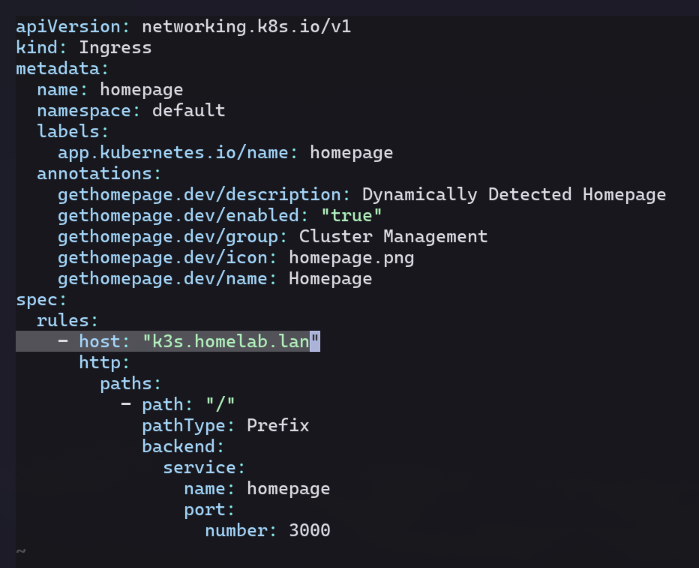
I specify that traffic for the host k3s.homelab.lan should go to my homepage service.
Applying the Manifests#
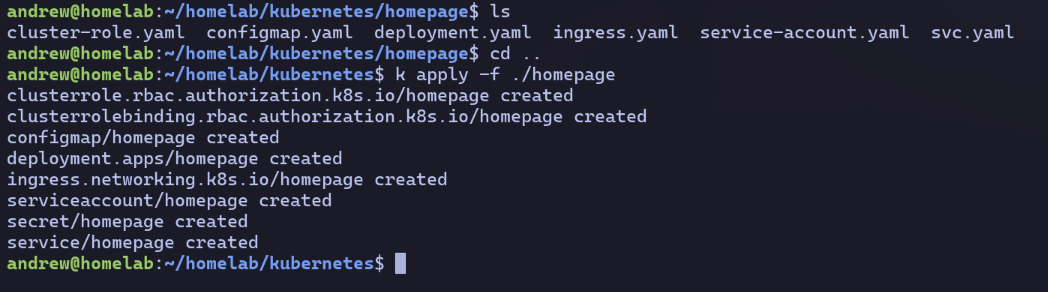
With all my manifest yaml files saved, I use kubectl (aliased to ‘k’) to apply them.
Exposing the Service#
With all resources created, the service is technically exposed outside the cluster.
However, in order to leverage the SSL certs from ch 4 across all my apps,
I’ll route the traffic through the reverse proxy from ch 5.
Flow Diagram#
SSL will be terminated at the reverse proxy, and http traffic forwarded to the cluster.
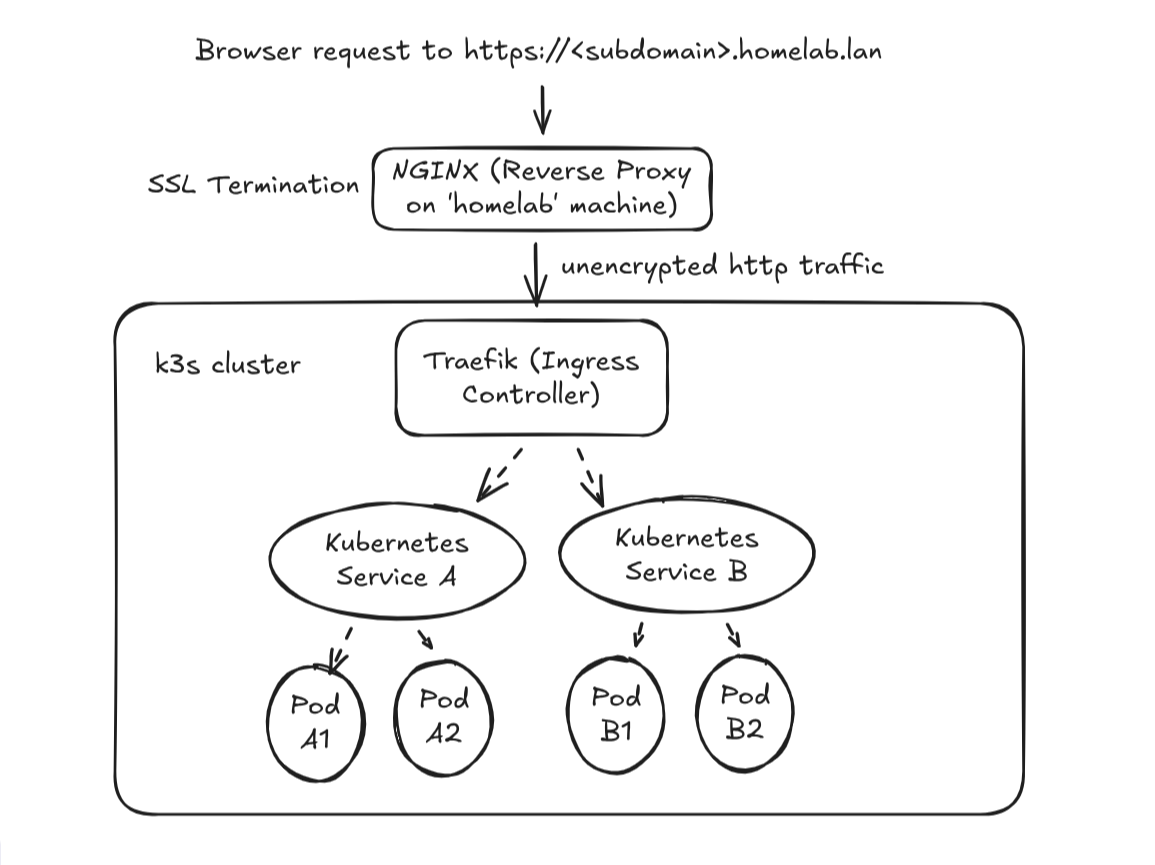
Unencrypted communication across my private network is fine for my homelab.
I’d never do this over a public network where the traffic could be intercepted!
Nginx Config Update#
To preserve services like the registry from ch 6 at reg.homelab.lan,
I add the following to the bottom of my nginx.conf:
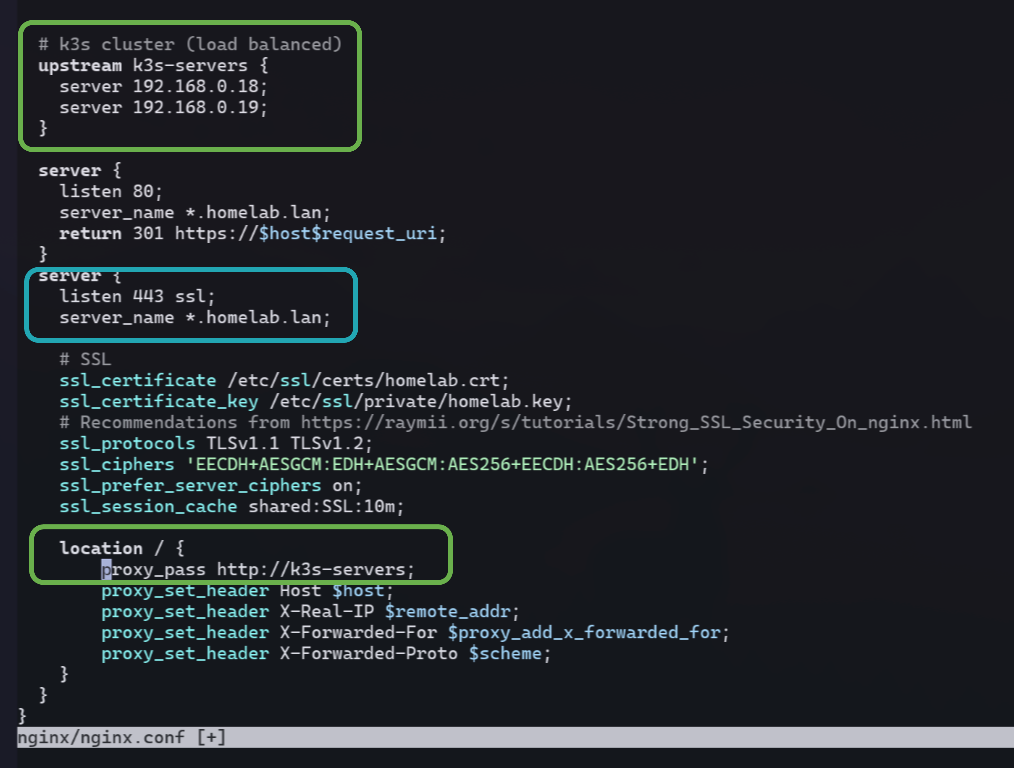
- leverage nginx as a load balancer to use both nodes in my cluster
- forward *.homelab.lan hosts (other than ones above in the file) to the load balanced servers
DNS Update#
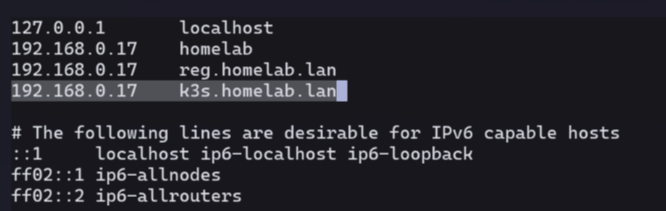
Once again, I edit the /etc/hosts file on my homelab box,
and restart dnsmasq (see Ch 3).
Success!#
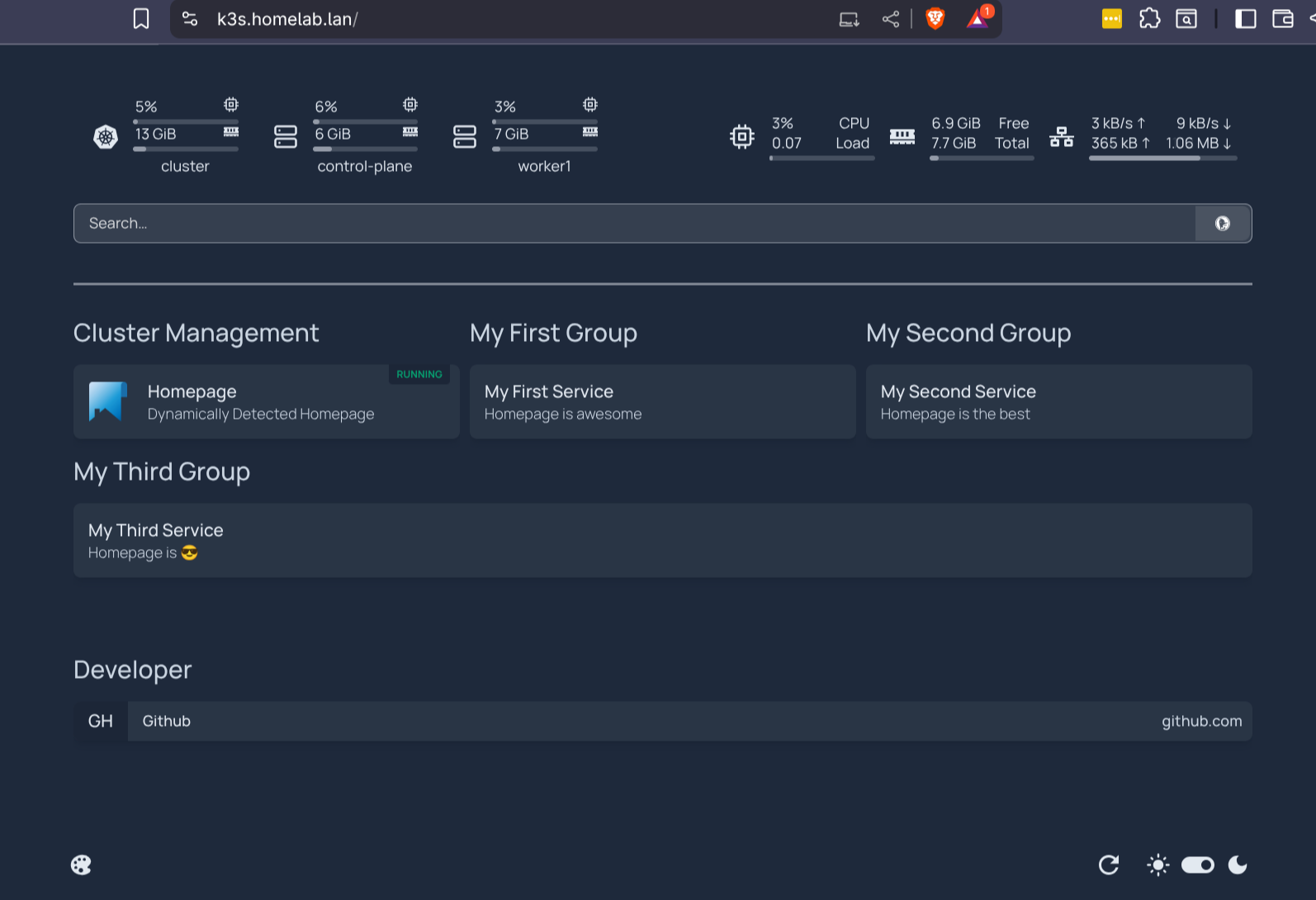
It even includes metric widgets up top for RAM and CPU usage in the cluster!
(Which was achieved with the RBAC on the secret used by the homepage service account).
See this commit for the files from this chapter.