Image Registry#
Images can be built and ran locally on the same machine.
However, I want to create and run my own images on a self-hosted kubernetes cluster.
An image registry will help me here!
What is it?#
It’s a centralized catalog where a I can push/pull images to/from a remote machine.
Another name for this is a ‘container registry’.
There are many 3rd party registries out there like:
However, I can DIY this!
Self-Hosted Registry#
Docker has an officially supported “registry” image.
I’ll run this on my homelab box and store all my images there.
Docker client TLS requirement#
For security, the docker client requires TLS when accessing a remote registry.
Conveniently, I already have my nginx reverse proxy from Ch 5 configured for TLS.
Nginx Config#
The registry image docs include setup instructions for running behind nginx.
I copy over the example config file from the docs, but adjust it for my use case.
The adjustments are:
- specifying a subdomain at
reg.homelab.lan - providing the same SSL cert and private key as my root domain
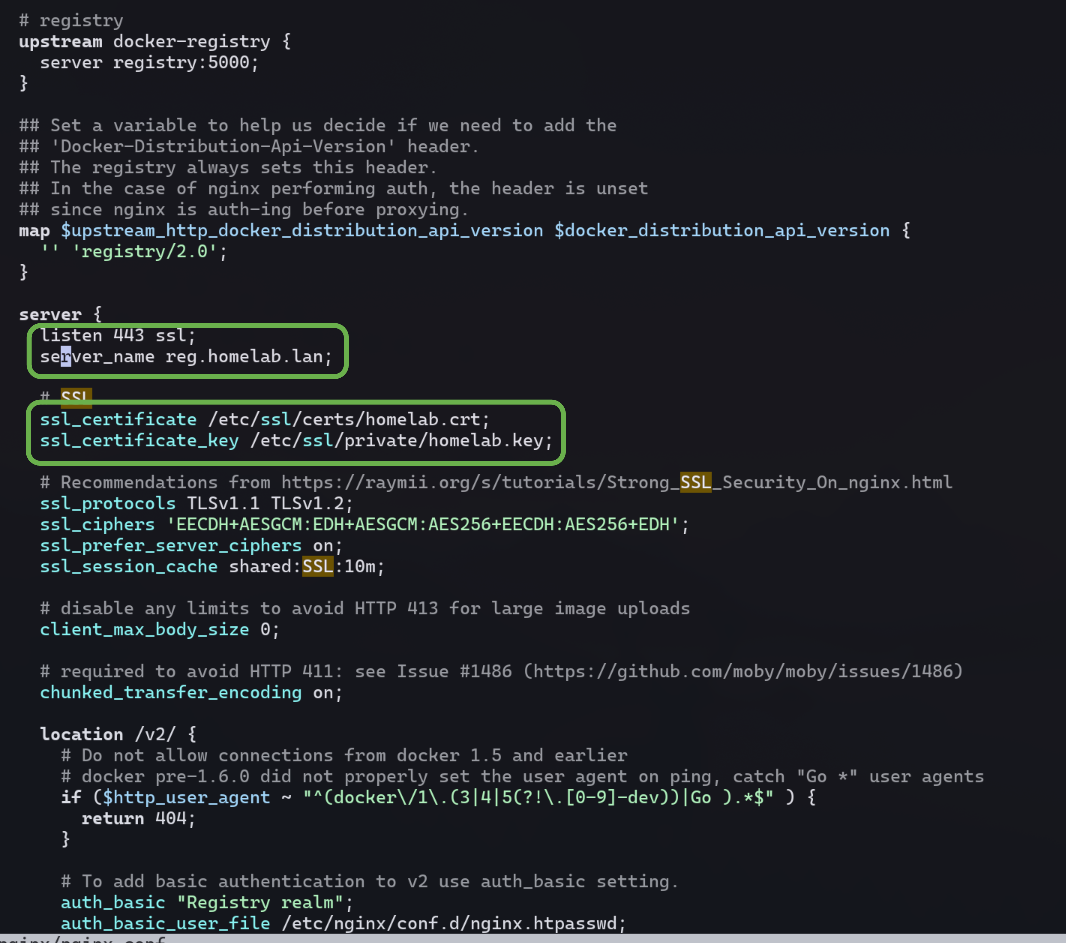
And, I keep the lines for auth using htpasswd, which I’ll set up next.

Htpasswd#
This util was originally built for apache, but nginx also supports it.
Its a convenient tool to create and manage encrypted passwords for http services.
I run it via a temporary docker container:
docker run --rm --entrypoint htpasswd httpd -Bbn andrew <my pass> > nginx.htpasswd
Then I mv the output file to /etc/nginx/nginx.htpasswd on my host box.
This is a security measure so I won’t accidentally commit it to my git repo.
Docker Compose#
Next I update my compose file to include this new service:
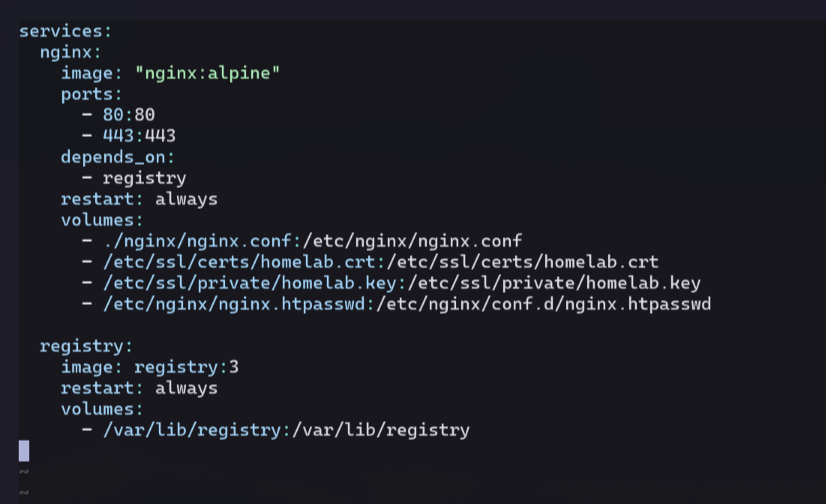
Key editions:
- nginx will wait for the registry service to start (‘depends_on’)
- volume mount on nginx for /etc/nginx/nginx.htpasswd
- registry service with volume mount /var/lib/registry to store the images
- ‘restart: always’ line to both services to auto restart if either crashes
Systemd Service Restart#
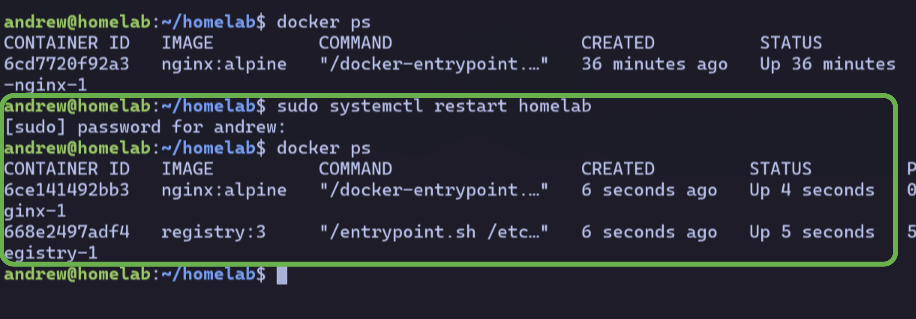
I restart the systemd service for my homelab so the changes take effect,
and confirm the new registry container is running:
DNS Update#
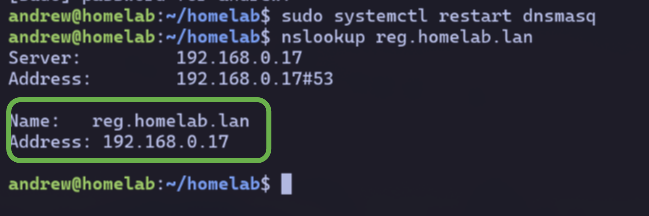
Lastly, I’ll need to update my network’s DNS to resolve the new subdomain!
I had set up dnsmasq as my DNS in Ch 3,
so I simply add a new line on my homelab box’s /etc/hosts file:
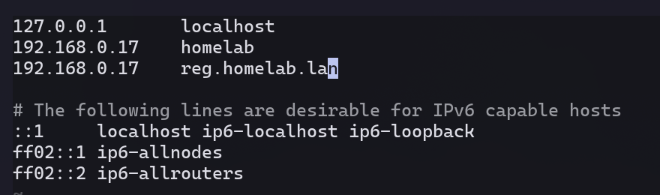
Then restart dnsmasq and confirm the entry with nslookup:
Docker Client#
Now its time to try it out!
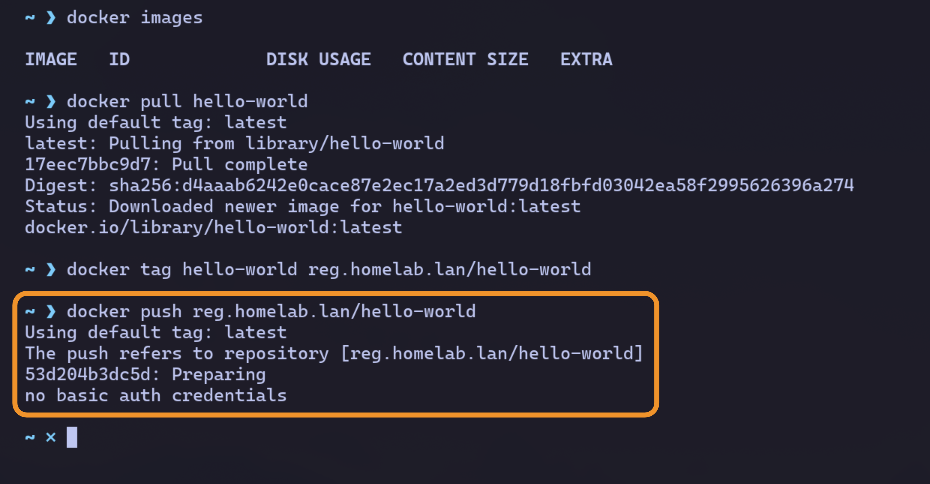
I’ll test by pushing / pulling a hello-world image.
Unauthenticated#
From my laptop, I pull the hello-world image from the official docker hub registry.
Then I tag it as reg.homelab.lan/hello-world.
When I attempt to push the image, I get a no credentials error.
Authenticated#
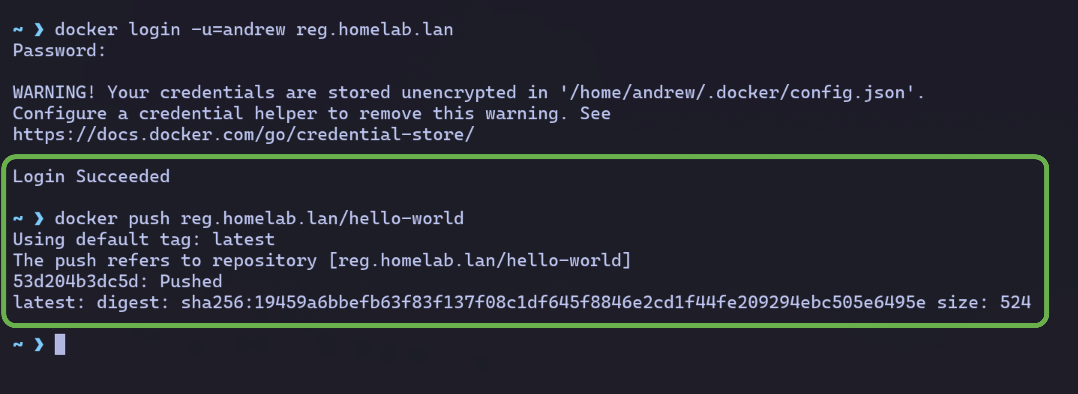
I enter my login creds for my registry on the docker client.
I’m now able to push the image!
(I’ll circle back to deal with the security warning.)
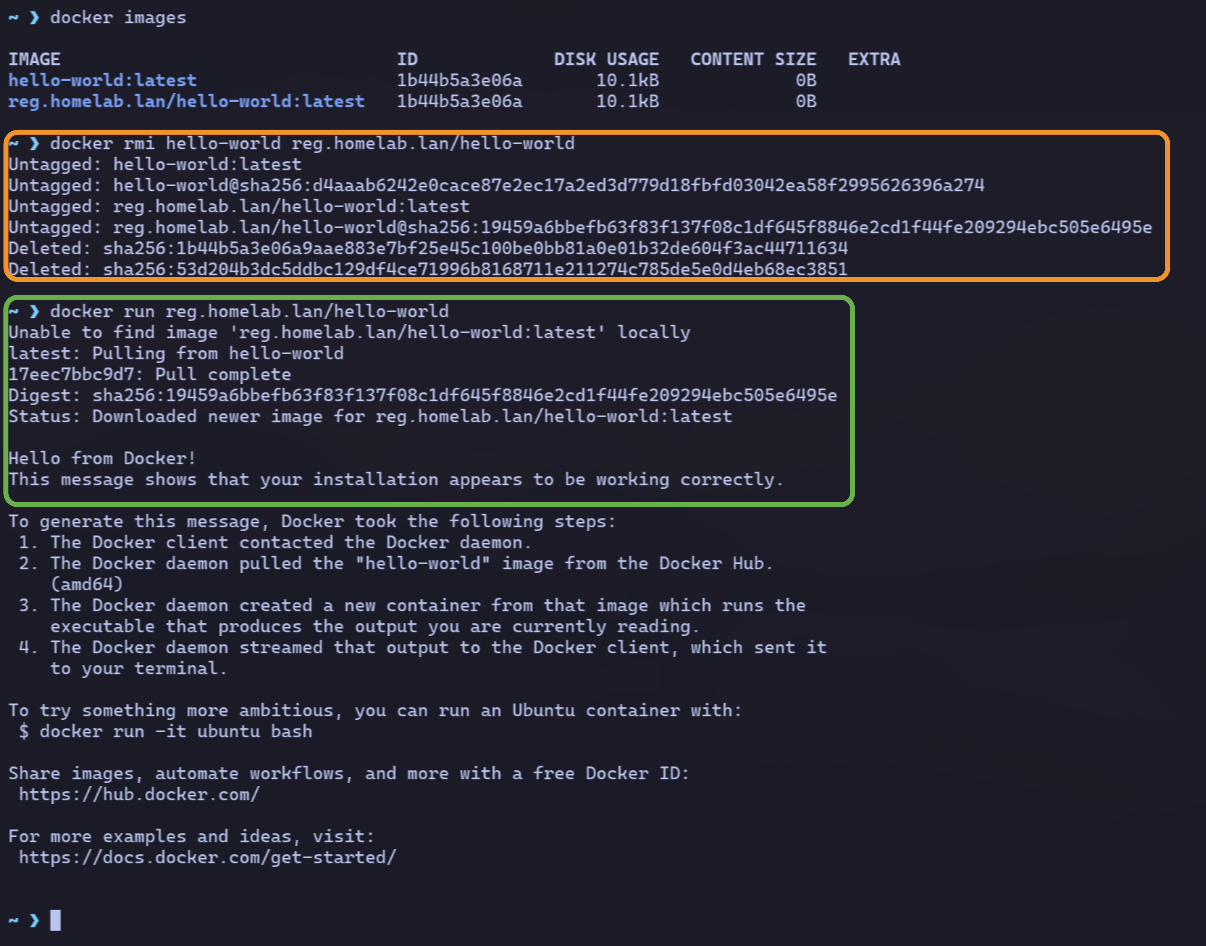
To confirm I can pull, I first delete my local images,
then force docker to fetch it from my registry with a docker run:
Docker Cred Store#
Storing my passwords in plain text is never a good idea.
So I follow the link in the warning from Docker and configure pass as my cred store.
Now when I login to my registry, my creds are encrypted and the warning is gone.

Perfect.
Git commit for this chapter here.